
Advanced Processing Tutorial - Photoshop
WHAT'S IN THIS TUTORIAL:
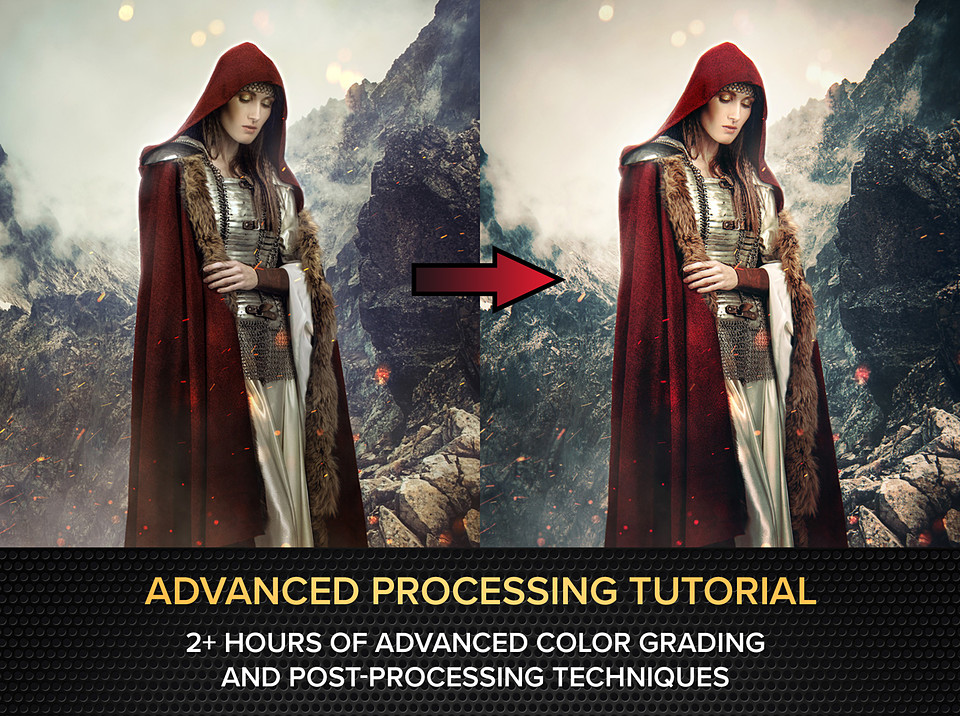
These are over two hours of realtime video tutorials where I walk you through the advanced color grading and post-processing techniques I use to take my illustrations from almost done to hyper-polished and professional. While in this tutorial I'm making a photo illustration for a book cover, these are the same grading and processing techniques I use on all my work, and can be used on any photo art, renders, concept art, illustrations, and matte paintings, etc, to enhance the professionalism of your work and really make it stand out.
These videos cover the end post-processing techniques, not the making of the initial illustration itself (though I do give a quick overview of how I made it in the intro!).
This tutorial assumes at least a basic knowledge of Photoshop. While some of these techniques might be adapted for use in other software such as Affinity Photo, Krita, and GIMP, Photoshop CC or higher is needed to follow along with the tutorial here.
You will get 8 files
All files previously purchased will always be available for download in your Library
- AdvancedProcessing-1-Intr...114.71 MB - 11 min
- AdvancedProcessing-2-Init...262.71 MB - 26 min
- AdvancedProcessing-3-Came...153.15 MB - 14 min
- AdvancedProcessing-4-Vign...158.97 MB - 16 min
- AdvancedProcessing-5-Curv...179.77 MB - 18 min
- AdvancedProcessing-6-Pain...173.85 MB - 17 min
- AdvancedProcessing-7-EndP...255.51 MB - 20 min
- AdvancedProcessing-8-Non-...106.9 MB - 10 min