GestureFlow - Gesture Drawing & Reference Study
Stop switching tabs. Just draw.
You sit down to practice. Then you spend the first chunk of time finding references, setting a timer, and trying to remember which folder had the hand studies. By the time you're actually drawing, you've lost half your motivation.
GestureFlow replaces the chaos. Your references, your session structure, your study tools, and your progress tracking — all in one place. Open it and draw.
Four ways to practice. One app.
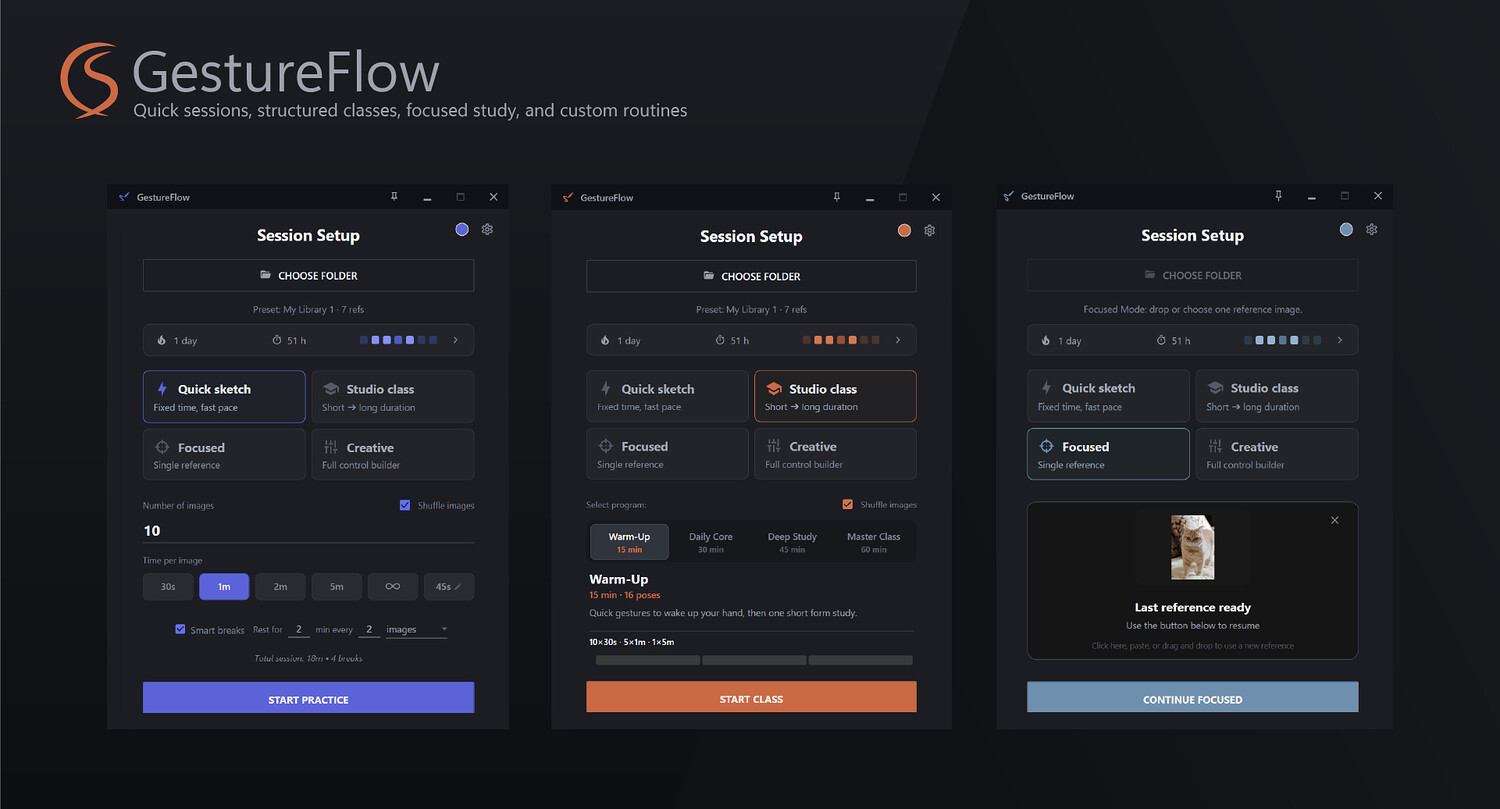
- Quick Sketch — Zero setup. Start in seconds. Pick a folder, set a time per image, hit Start. Good for daily warm-ups, anatomy drills, or any session where you just want to get moving. Zen Mode available if you'd rather draw without a timer at all. Smart breaks built in — rest every N images or every N minutes, however you prefer to work.
- Studio Class — A full session, already planned. Not sure what to practice today? Choose Warm-Up, Daily Core, Deep Study, or Master Class. GestureFlow handles the structure — how many poses, how long each block, where the breaks fall. You see the full program before you start. Then you just draw.
- Focused Mode — One reference. No rush. Found something worth studying? Drag it straight from your browser, paste from clipboard, or drop from a folder. No timer. Zoom, pan, mirror, grid, proportion tool, value study — everything available when you need it. A proper study environment, not just an image viewer.
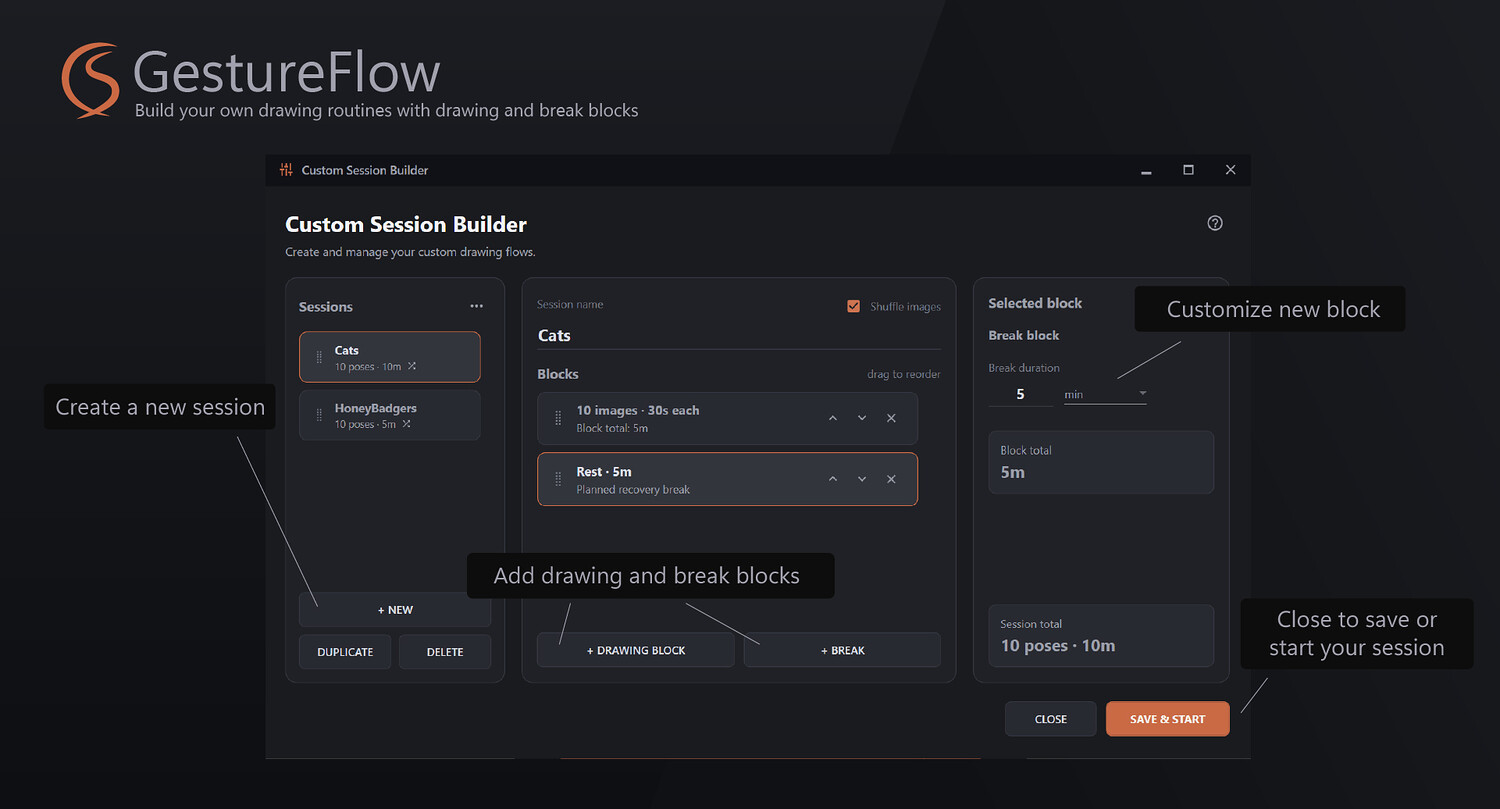
- Creative Builder — Your routine, your rules. Stack drawing blocks and breaks in any order. A 15-minute warm-up before work. A 90-minute anatomy session on weekends. A mixed class with two subjects and a rest in the middle. Save it, come back to it, launch it in one click.
Study the reference. Don't just look at it.
Most gesture apps show you an image and count down. GestureFlow lets you actually analyze what you're looking at.
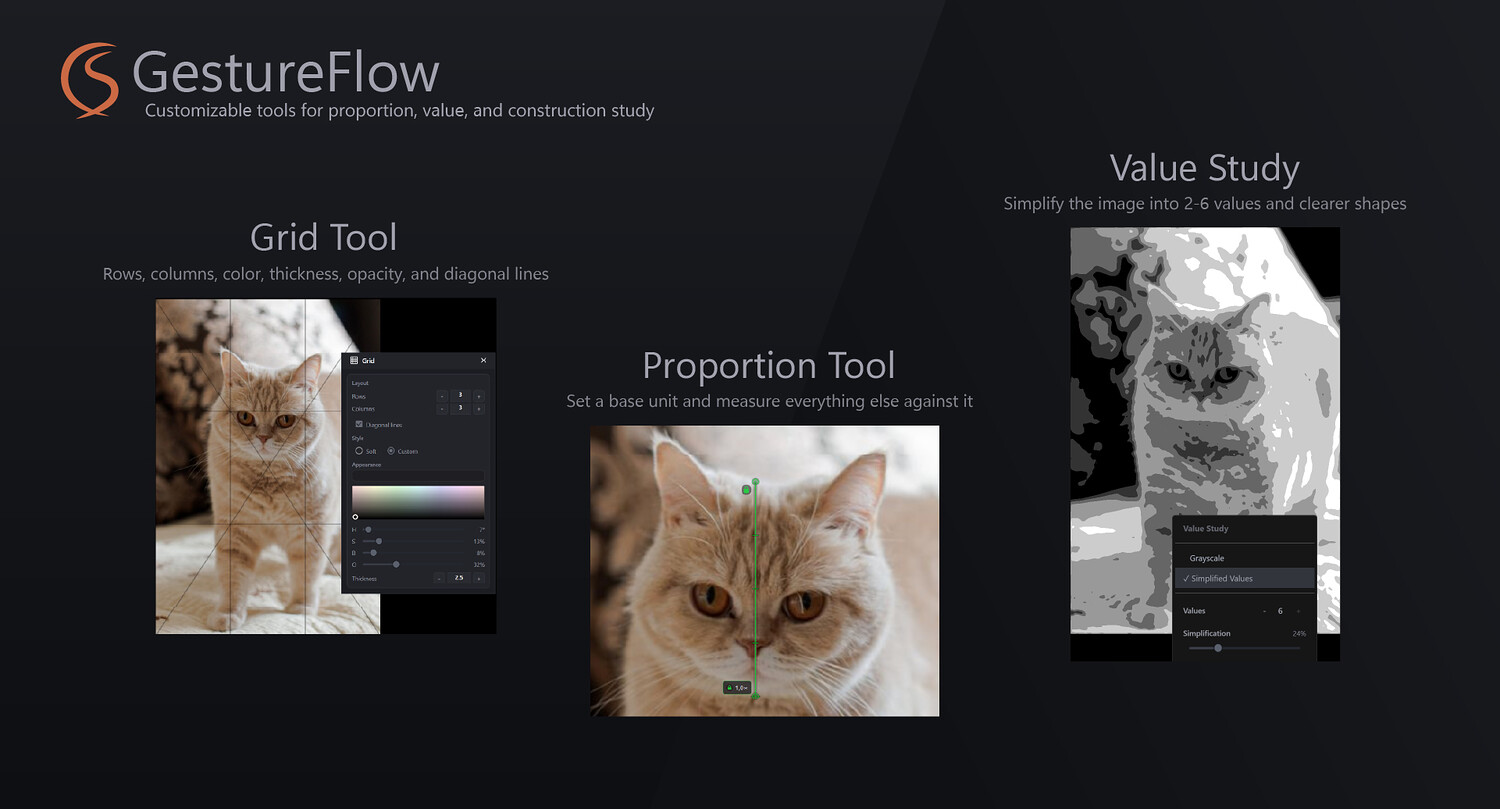
- Proportion Tool — Set a base unit, lock it, measure everything else against it. Check if the torso reads right. Catch proportion mistakes before they land on the canvas.
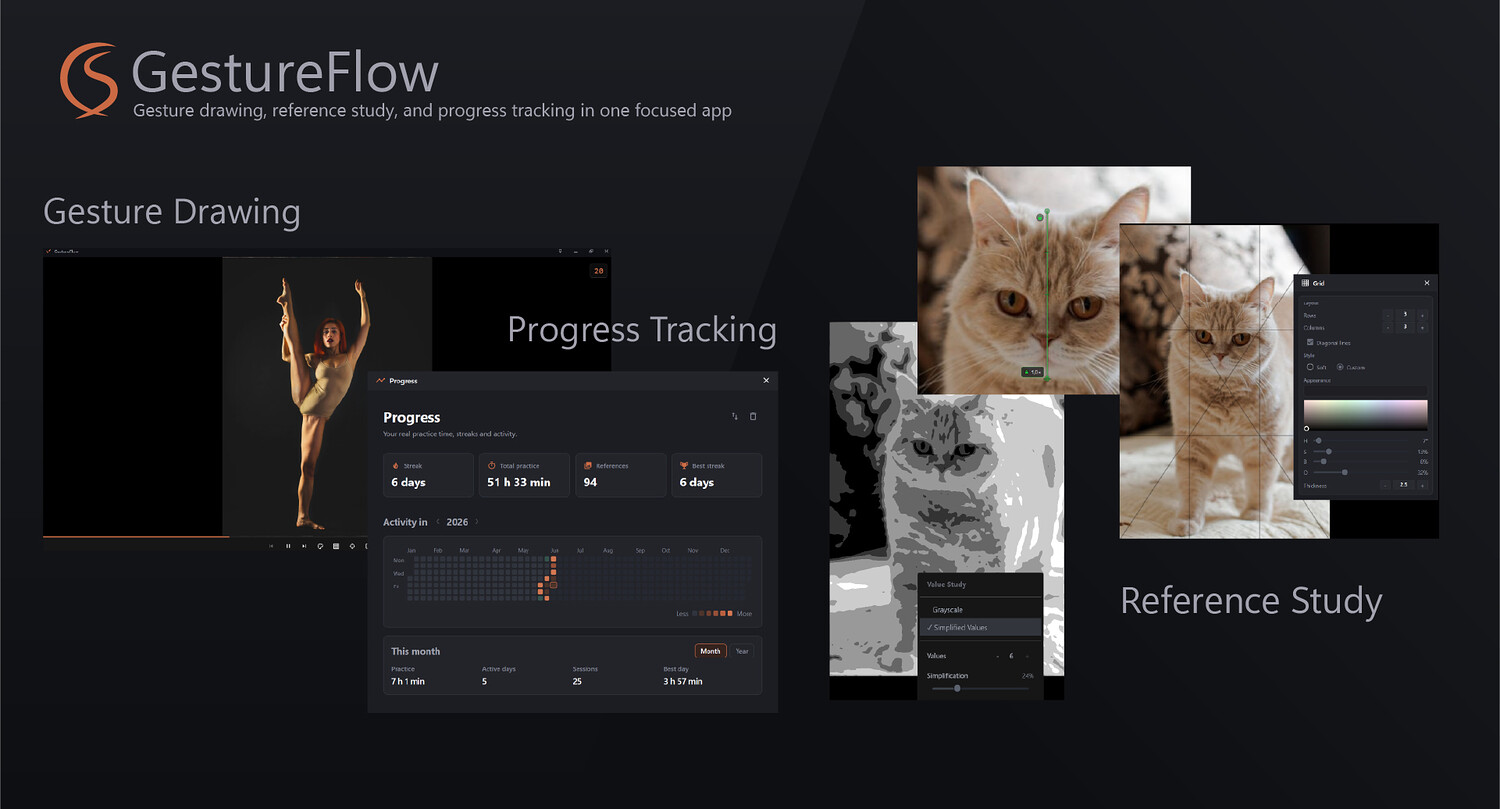
- Value Study — Reduce any reference to 2–6 values. See the big shapes and light structure before you get lost in details.
- Grid — Adjustable rows, columns, diagonals, color, and thickness. Use it for construction, composition analysis, or breaking a complex pose into manageable pieces.
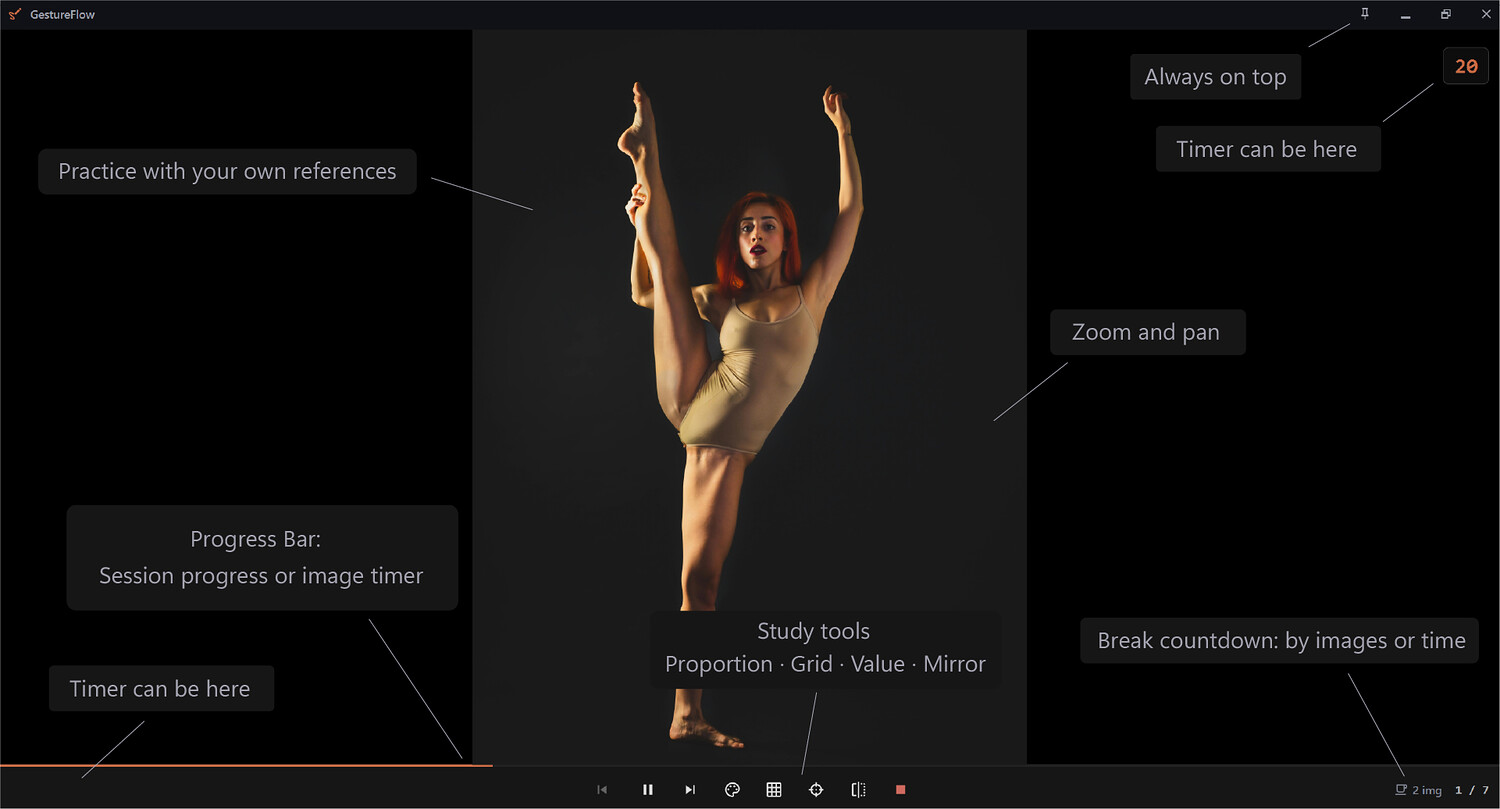
- Zoom and Pan — Move through a reference like it's a canvas. Study the hand, check the full silhouette, come back — without losing your place.
- Mirror and Grayscale — Essential controls that seem small until you realize you needed them every session.
- Progress Bar — Shows either your overall session progress or the timer for the current reference. Switch between the two depending on how you like to work: some artists want to know how much of the session is left, others want to see exactly how many seconds remain on this pose.
Your references, organized.
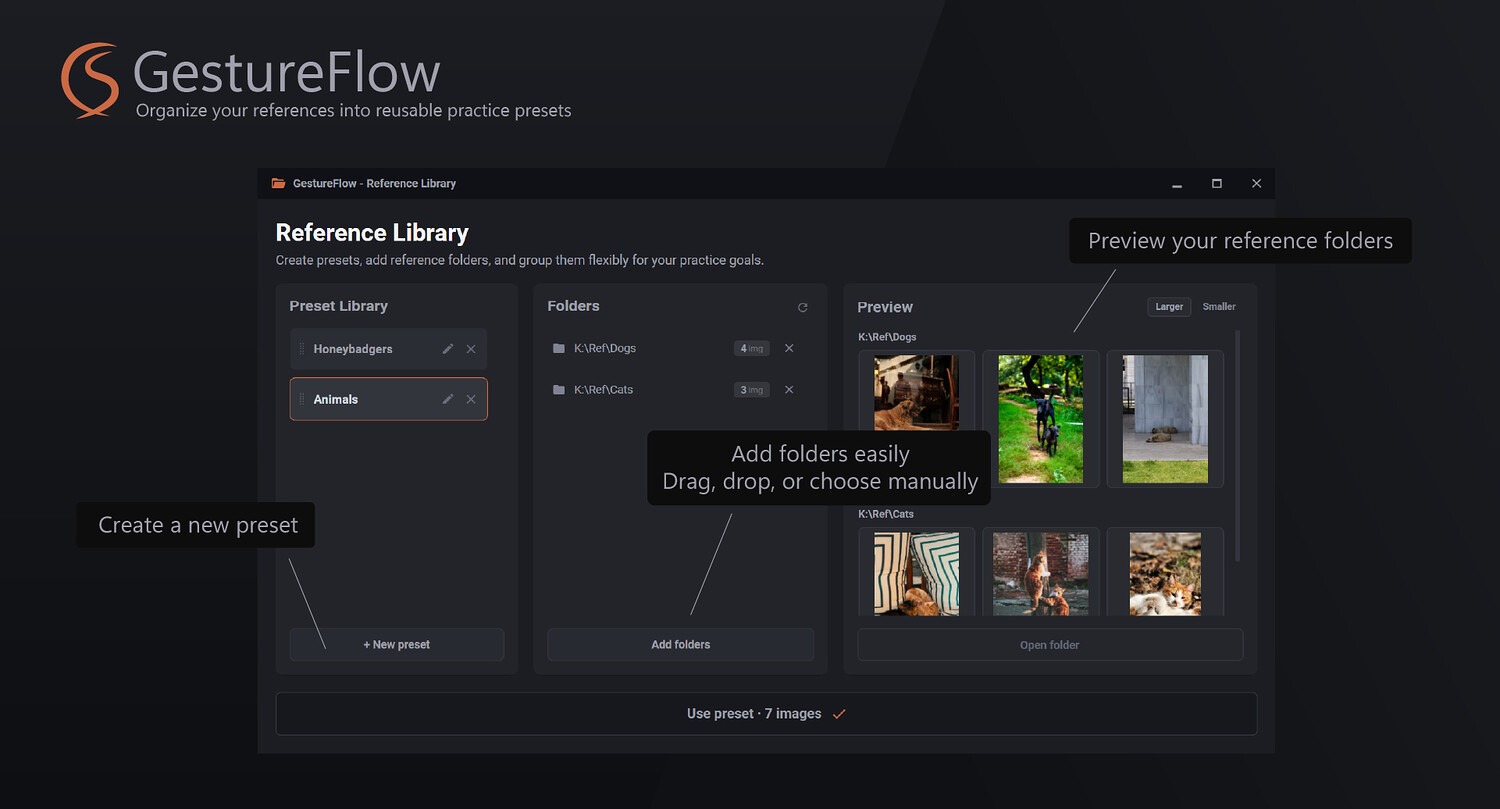
Stop hunting through folders every time you want to draw. Create a preset for full-body gestures. Another for hands. One for portraits, one for animals. Preview what's in each before you start. Switch between them in two clicks. Everything saves automatically.
See your consistency. Edit it when life gets in the way.
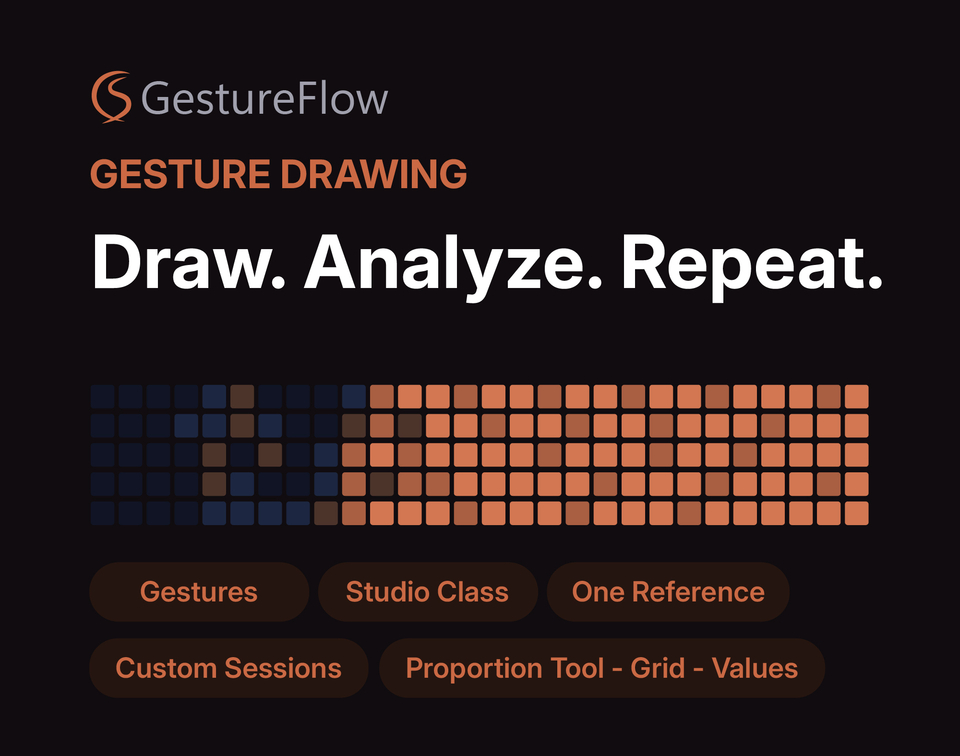
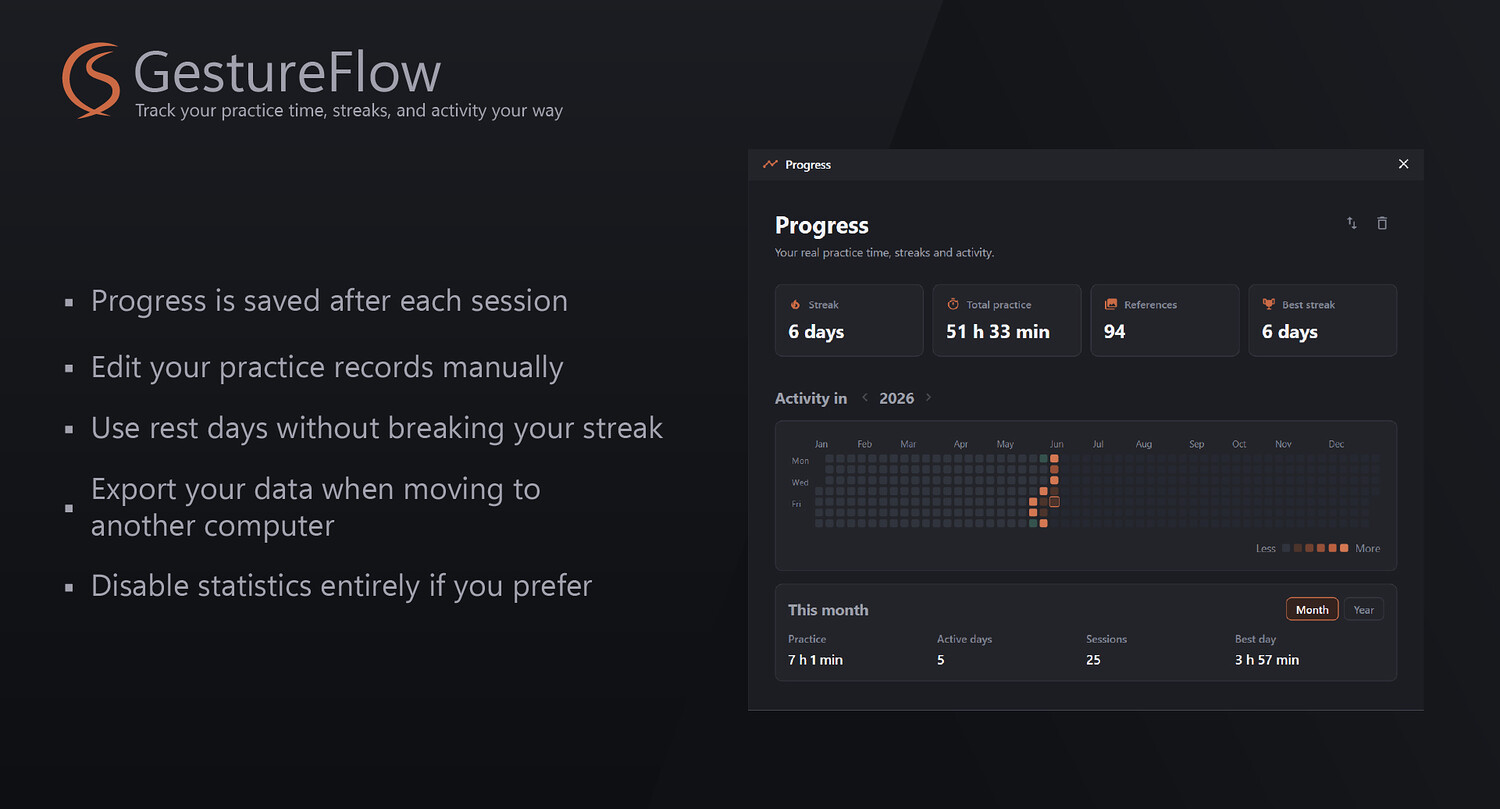
GestureFlow tracks your practice time, session count, references drawn, and streak. The yearly heatmap fills in as you work — watching it grow is its own kind of motivation. And because real life happens:
- Practiced on paper today? Add the time manually — your streak stays intact.
- Need a rest day? Mark it. It won't count against you.
- Moving to a new computer? Export your data and pick up where you left off.
- Prefer not to track at all? Turn statistics off completely.
Built for artists who practice seriously.
GestureFlow is for illustrators, concept artists, character artists, animators, and students who draw from references — and who are tired of assembling a practice setup from five different tools. If you've ever wanted one place to practice with your own references, study them properly, and actually build a consistent habit — this is it.
Free trial. No account. No subscription.
Download, open, drag in a reference folder, and see how it feels.
Download Free Trial
Windows desktop app.
You will get 1 file
All files previously purchased will always be available for download in your Library