
Substance Painter- Volume #1- Getting Started I
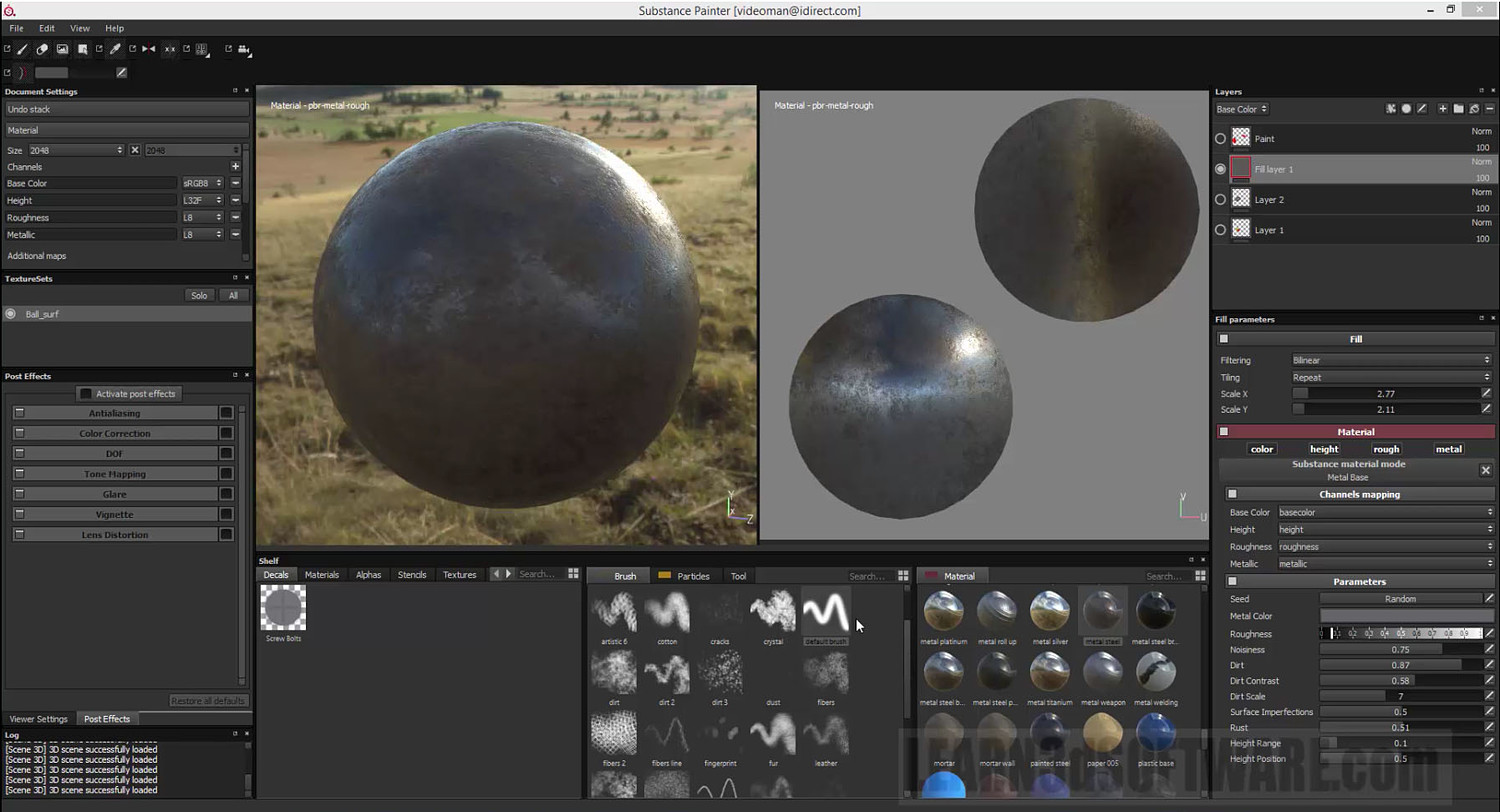
What is Substance Painter? Substance Painter is an extremely powerful 3D Painting Software package that is becoming very popular in the 3D Industry.
It comes fully loaded with eye-popping materials to paint on your 3D models. Metals, Stone, Rock, Fabric, Wood and more.
It also has a huge collection of tools and brushes to create weathering, dirt, scratches, corrosion, rust, skin, lizard scale detail (and more) with great speed and quality.
A must have piece of software for those who want to add huge amounts of detail to their 3d Models.
Table of Contents for Volume #1
Chapter 1- Intro
Chapter 2- What is Substance Painter?
Chapter 3- User Interface (UI) Orientation
Chapter 4- 3D Viewer Navigation (Rotate, Move, and Zoom-In/Out)
Chapter 5- 2D Viewer Navigation (Rotate, Move, Zoom-In/Out, Show Entire Mesh)
Chapter 6- How to Rotate the Environment Map
Chapter 7- Viewer Setting Modes
Chapter 8- Mesh Normal View
Chapter 9- Environment Map Settings
Chapter 10- How to Open and Close a Project
Chapter 11- Preparing Models in Lightwave
Chapter 12- Importing Box Primitive into Substance Painter
Chapter 13- Correcting the Smoothing Issue for the Ball Primitive
Chapter 14- Correcting NGons in your Models
Chapter 15- Correcting Non-Planar Polygons in your Models
Chapter 16- Painting Introduction (Layers and Fill Layers)
Chapter 17- Final
Running Time: 2 hrs. 7 mins.
High Quality (Screen-Res 1920 x 1080 pixels)
Video Format: MP4 (.mp4)
Level: Beginner
You will get 36 files
All files previously purchased will always be available for download in your Library
- Content_Folder.zip24.38 KB
- Content_Folder.zip24.38 KB
- Sub_Paint_LW_Users_Vol_1_...1.18 MB
- Sub_Paint_LW_Users_Vol_1_...1.18 MB
- Sub_Paint_LW_Users_Vol_1_...21.07 MB
- Sub_Paint_LW_Users_Vol_1_...21.07 MB
- Sub_Paint_LW_Users_Vol_1_...23.02 MB
- Sub_Paint_LW_Users_Vol_1_...23.02 MB
- Sub_Paint_LW_Users_Vol_1_...27.51 MB
- Sub_Paint_LW_Users_Vol_1_...27.51 MB
- Sub_Paint_LW_Users_Vol_1_...97.44 MB
- Sub_Paint_LW_Users_Vol_1_...97.44 MB
- Sub_Paint_LW_Users_Vol_1_...13.64 MB
- Sub_Paint_LW_Users_Vol_1_...13.64 MB
- Sub_Paint_LW_Users_Vol_1_...18.02 MB
- Sub_Paint_LW_Users_Vol_1_...18.02 MB
- Sub_Paint_LW_Users_Vol_1_...52.59 MB
- Sub_Paint_LW_Users_Vol_1_...52.59 MB
- Sub_Paint_LW_Users_Vol_1_...32.42 MB
- Sub_Paint_LW_Users_Vol_1_...32.42 MB
- Sub_Paint_LW_Users_Vol_1_...78.55 MB
- Sub_Paint_LW_Users_Vol_1_...78.55 MB
- Sub_Paint_LW_Users_Vol_1_...11.46 MB
- Sub_Paint_LW_Users_Vol_1_...11.46 MB
- Sub_Paint_LW_Users_Vol_1_...12.46 MB
- Sub_Paint_LW_Users_Vol_1_...12.46 MB
- Sub_Paint_LW_Users_Vol_1_...29.03 MB
- Sub_Paint_LW_Users_Vol_1_...29.03 MB
- Sub_Paint_LW_Users_Vol_1_...30.9 MB
- Sub_Paint_LW_Users_Vol_1_...30.9 MB
- Sub_Paint_LW_Users_Vol_1_...44.21 MB
- Sub_Paint_LW_Users_Vol_1_...44.21 MB
- Sub_Paint_LW_Users_Vol_1_...5.52 MB
- Sub_Paint_LW_Users_Vol_1_...5.52 MB
- Sub_Paint_LW_Users_Vol_1_...39.01 MB
- Sub_Paint_LW_Users_Vol_1_...39.01 MB