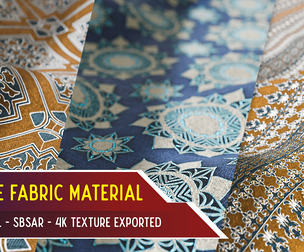
Cloth Pattern Design in Substance Designer
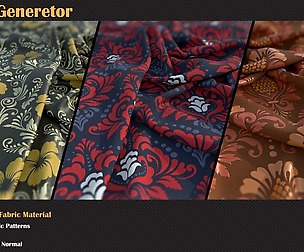
Process of designing a Cloth pattern in Substance Designer 6. Below is the breakdown list : 1. Base Patterns Creation 2. Base Col Creation 3. Base Background Pattern Creation 4. Roughness Creation 5. Creating and exposing parameters for .sbsar export 6. Optimising Graph 7. Checking and tweaking the clothpattern_v1 graph in new graph 8. Exporting the .sbsar file 9. Importing and checking the .sbsar in Substance painter
Follow me at twitter : https://twitter.com/kolayamit
View my Resume at : http://www.kolayamit.com/resume
View my Blog : http://kolayamit.blogspot.in
View my Website : http://www.kolayamit.com
View my profile in Linkedin : http://in.linkedin.com/in/kolayamit
Shortcuts used : Shift + Ctrl + D = Duplicate without links Dock/Undock nodes = D Delete with keeping links = Backspace
For complete list of shotcuts, visit here : https://support.allegorithmic.com/documentation/display/SD5/Shortcuts
Complete List of Substance designer optimisation Guide, visit here : https://support.allegorithmic.com/documentation/display/SD5/Performance+Optimization+Guidelines
Optional : Please donate if my videos have helped you : https://www.paypal.me/kolayamit
You will get 1 file
All files previously purchased will always be available for download in your Library