GestureFlow - Free Trial
GestureFlow - Trial Version. Purchase the full version here - http://cbr.sh/tinjqf
Windows 10/11
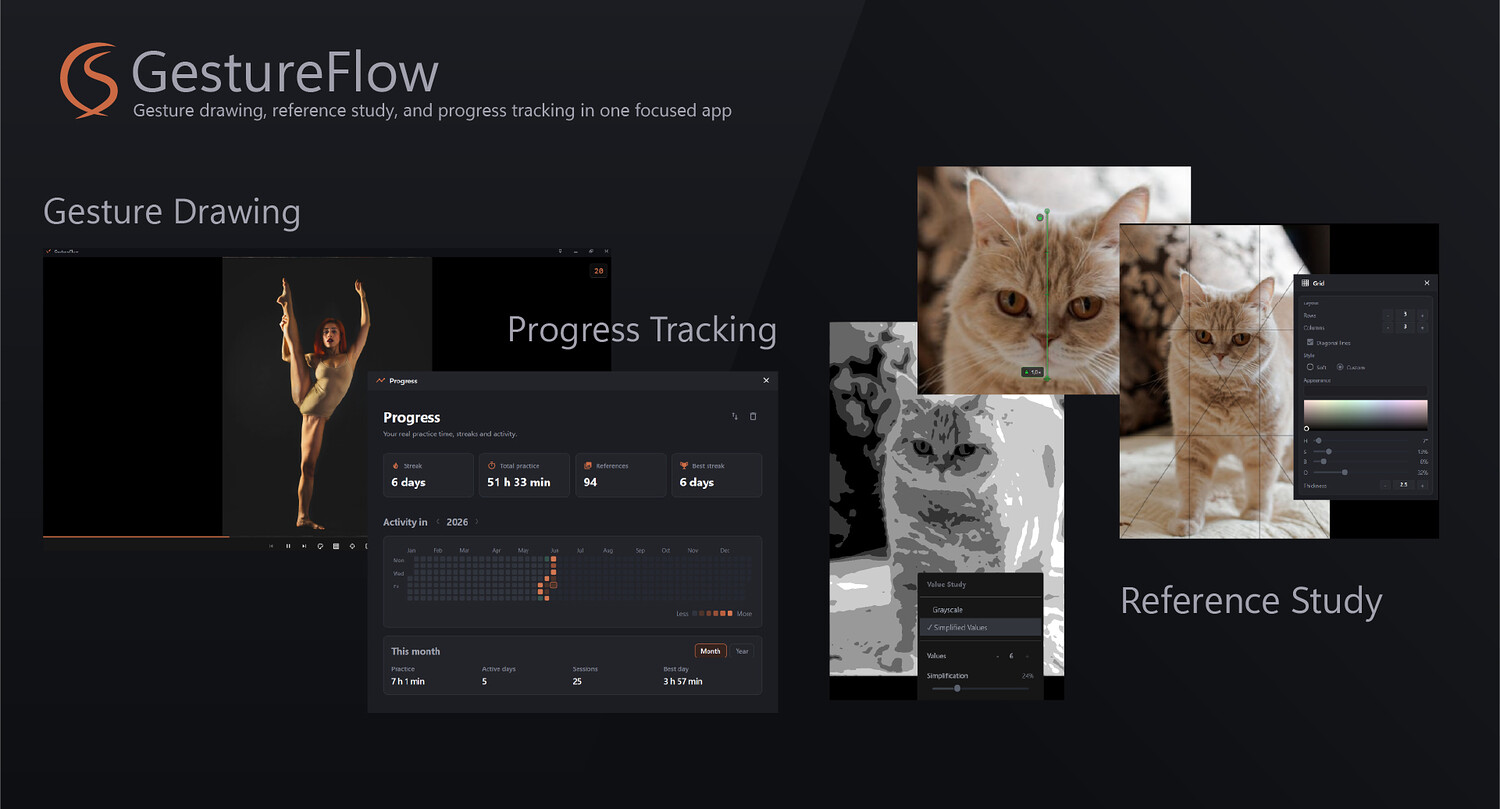
At its core, GestureFlow is a modern, polished gesture drawing application designed to get your practice sessions started instantly, keep things user-friendly, and help you stay consistent with your routine.
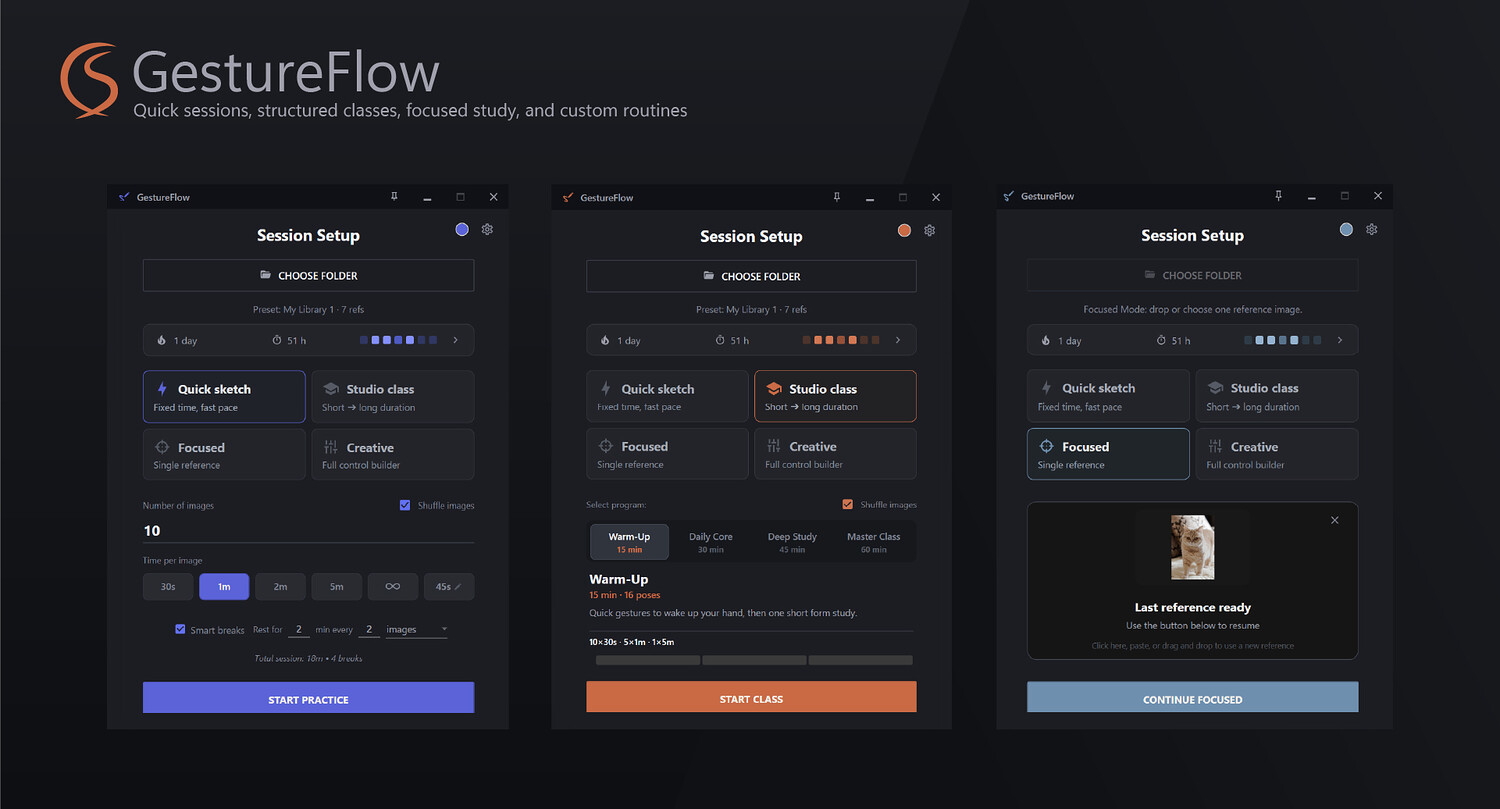
It features four distinct modes tailored to let you practice and sharpen your skills exactly the way you want:
Quick Sketch
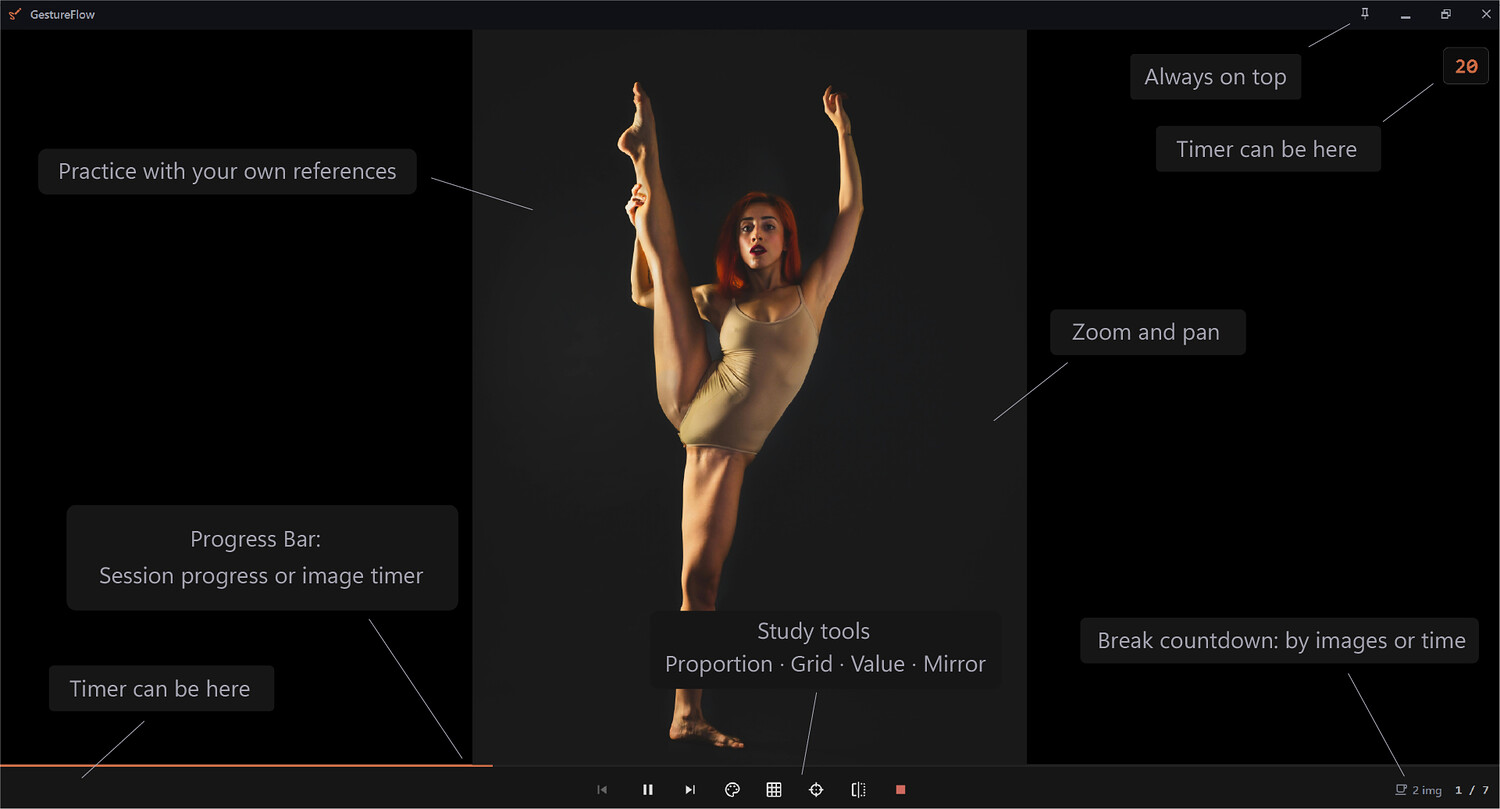
Your go-to gesture drawing mode with a fixed time per reference. Run it with or without a timer, customize the number of references, set the duration for each, shuffle your folder, or go in order. You can also configure breaks to trigger either after a specific number of references or via a timer (e.g., every 15 minutes).
Studio Class
Four preset practice sessions ranging from 15 to 60 minutes. The curriculum for each session - including reference count, timing, and progression - is displayed on its card and beautifully visualized as a timeline.
Focused Mode
Designed for quick, dedicated work with a single reference. Found a cool image on Pinterest or ArtStation? Just drag and drop it into Focused Mode and start sketching. You can also drop any image from your computer and use our built-in tools to study it.
Creative Mode
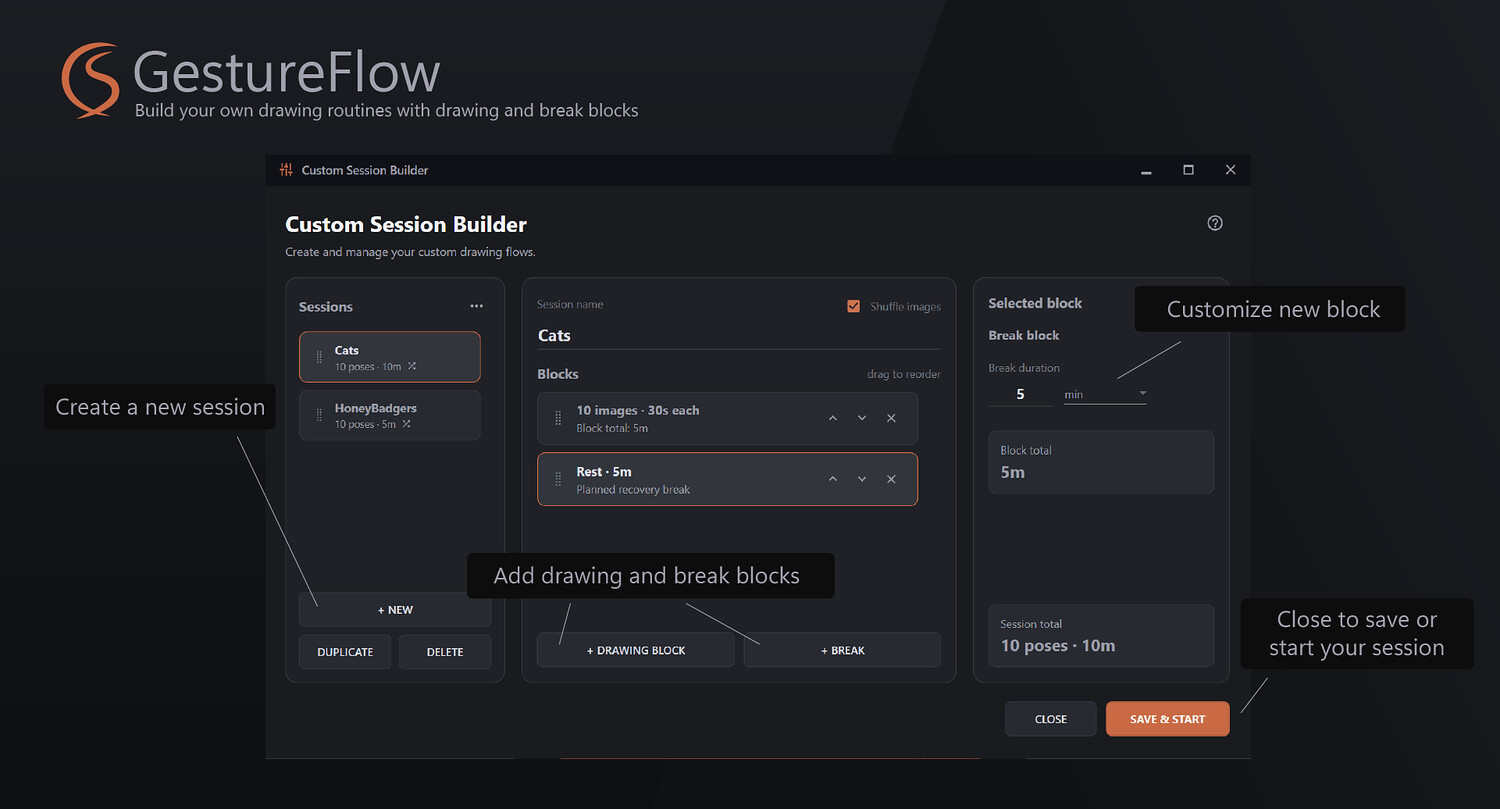
A fully customizable session builder. While Studio Class gets you moving instantly with presets, Creative Mode lets you build virtually any number of unique routines tailored to your specific needs. Alternate between drawing blocks and break blocks, and switch between your custom setups in a couple of clicks. Export and import are fully supported.
Advanced Study Tools
In every mode, you have access to additional tools designed to help you analyze and break down your references:
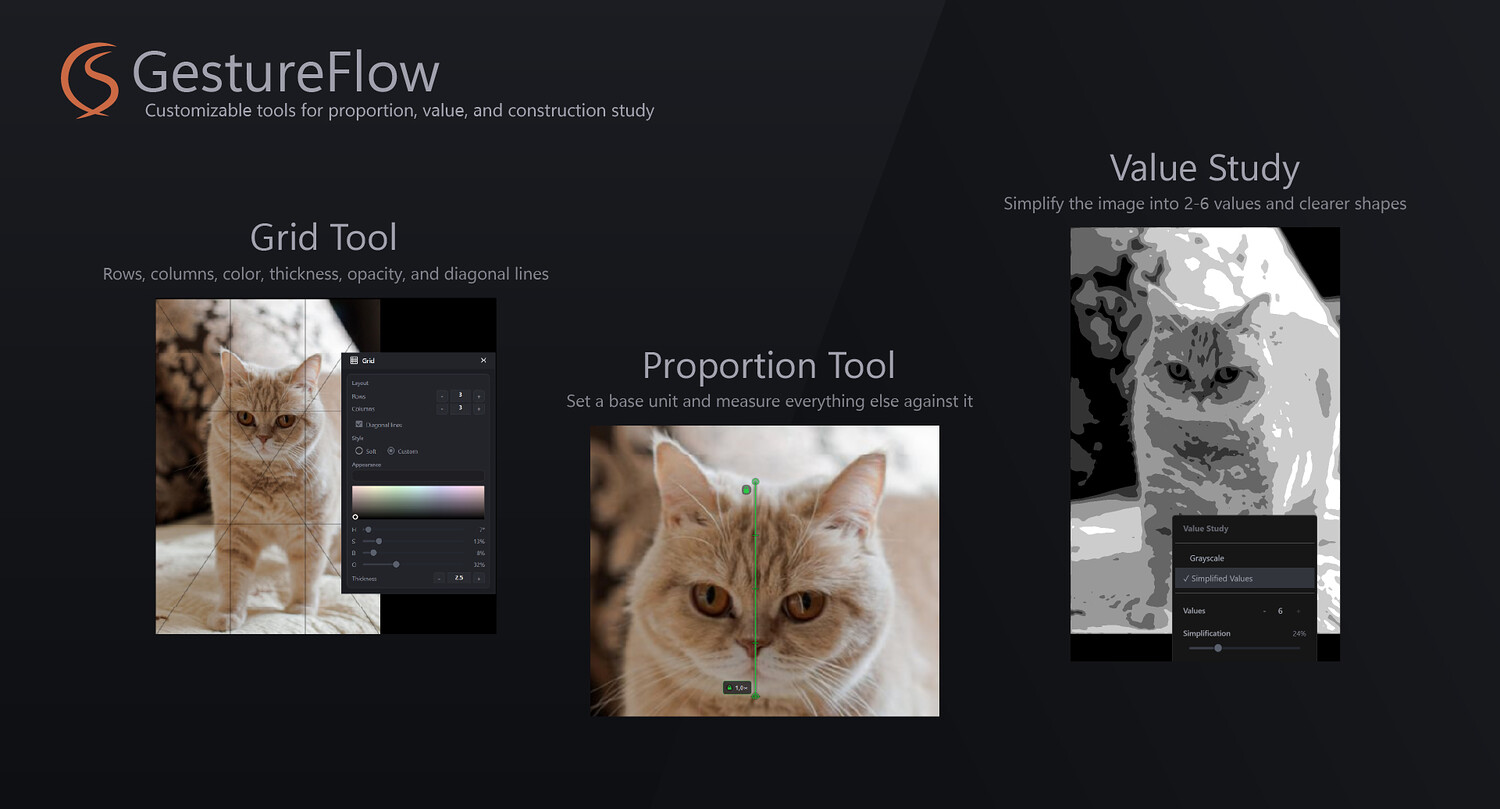
Proportion Tool – A signature GestureFlow tool that lets you quickly mark a base unit (like a head) and measure any proportions or distances using that unit.
Grid Mode – A highly customizable grid. Tweak the color, opacity, row and column counts, and thickness, or turn on diagonal lines to check your composition.
Value Study – Choose anywhere from 2 to 6 values to simplify shapes and focus strictly on the essentials. A classic Grayscale mode is also available.
Mirror – Flip the image horizontally.
Zoom and Pan – Zoom in, zoom out, and move the image around your virtual canvas exactly how you need.
Features You’ll Love
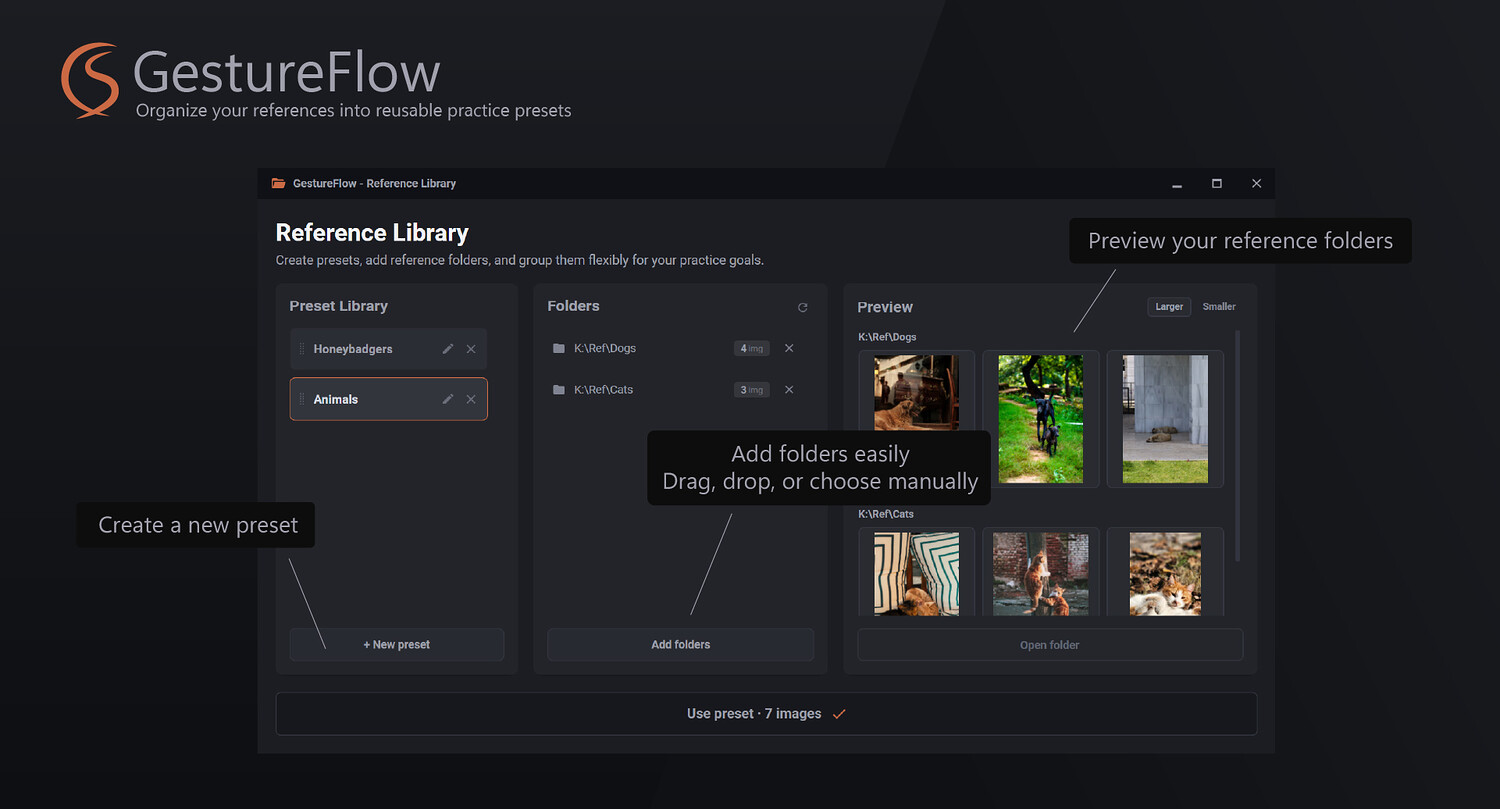
Reference Library - Create custom presets containing any number of folders to fit your goals. Practicing heads today, feet tomorrow, and full gestures the day after? Set up presets for each scenario, drag your reference folders into them, and swap between them in just two clicks.
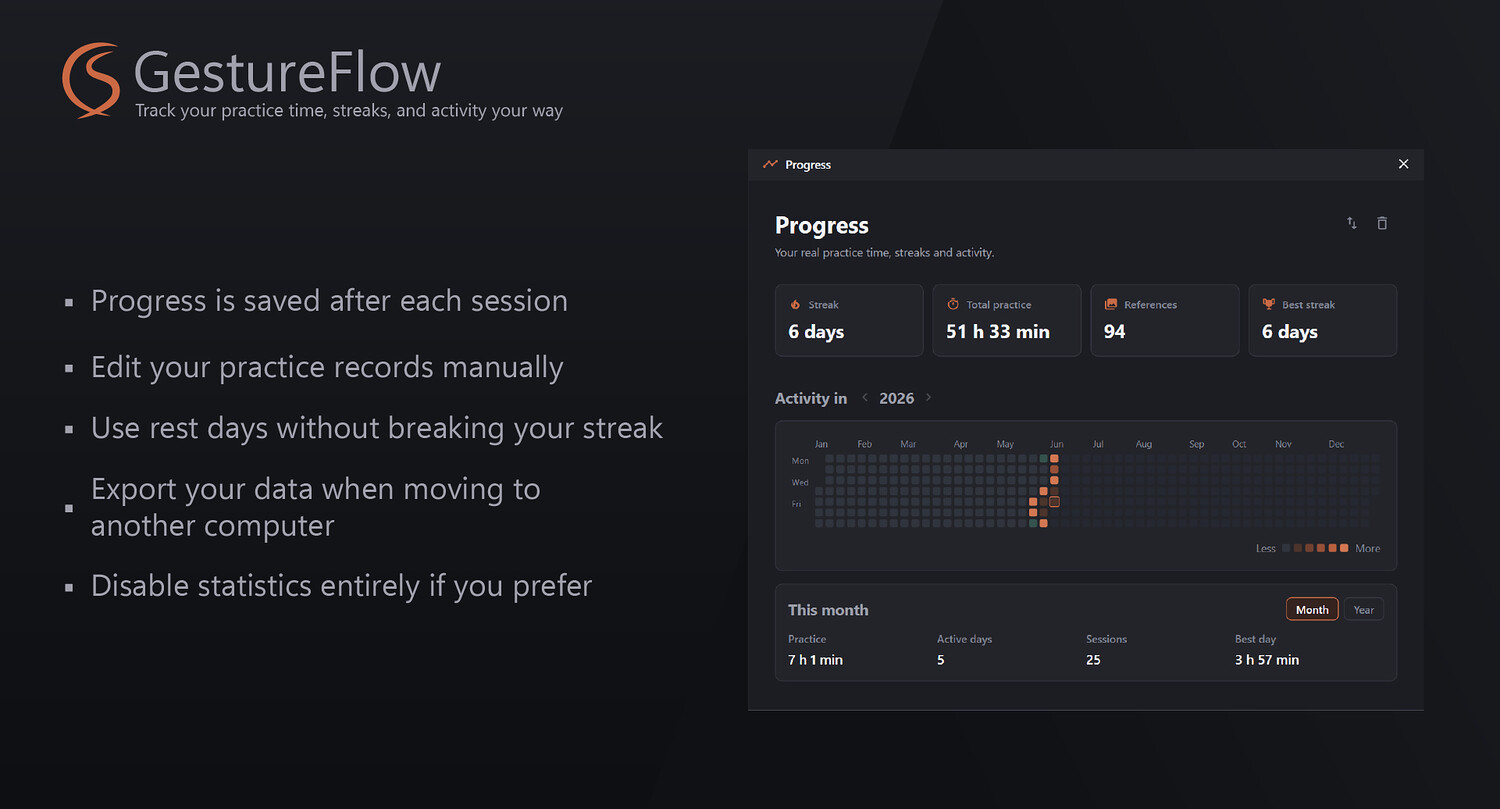
Stats Center - A full yearly heatmap tracking how long you practiced, when, your current streaks, and the total number of references sketched. The stats aren't here to penalize you for missed days. If life happens, simply mark the day as a Rest Day, and your streak won't break. Moving to a new PC? You can easily export and import your statistics.
I am an illustrator and developer myself, and I built GestureFlow to be fast, sleek, intuitive, and highly functional - helping all of us get better at the craft we love.
You will get 1 file
All files previously purchased will always be available for download in your Library